If you’re searching for apps like Locket, you probably like the idea: a photo from someone you love shows up on your home screen and you smile at your phone. For a couple, the best alternative is LoveInk, which does that one thing for two people. Below it are five other widget apps that fit couples in different ways.
Locket is a home-screen widget that shows live photos from your closest friends and family, and the friend list stops at 20 people. That suits a circle of friends or a family. If you want a Locket alternative for couples, something that feels like a private window onto one person, the picks below are a better place to start.
1. LoveInk: a photo from your partner on your home screen

Best for: Couples who want Locket's home-screen photo habit, kept between the two of you.
- The Photo widget keeps your partner's latest picture on your home screen, so a piece of their day is in front of you every time you pick up your phone.
- Add a few words or a little doodle to a photo, and a shot of your coffee turns into a small note that says you were thinking of them.
- The Together and Distance widgets show your days as a couple and the miles between you, so a visit counting down feels like something you share.
- Every photo you both send lands in the box, laid out as a wall calendar with dates and places, and by the end of the year you have a diary you made without trying.
- A heart for every day one of you sends something builds a Days in a row streak you keep going together, which turns small daily check-ins into a shared habit.
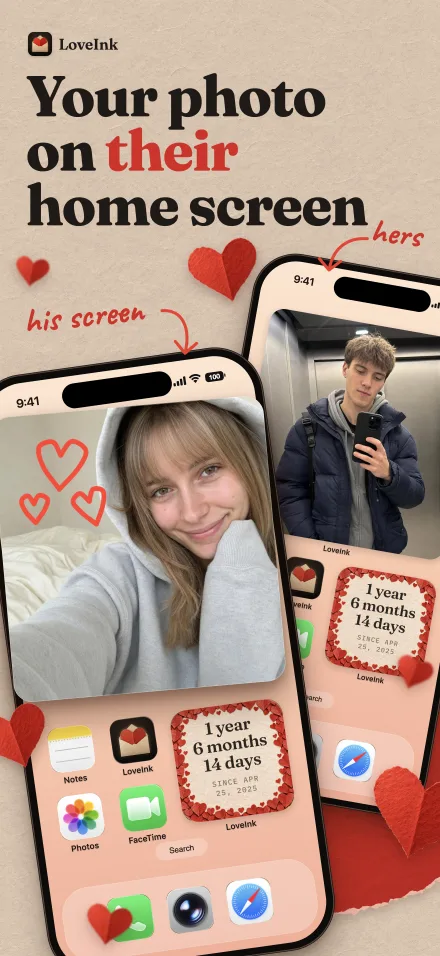
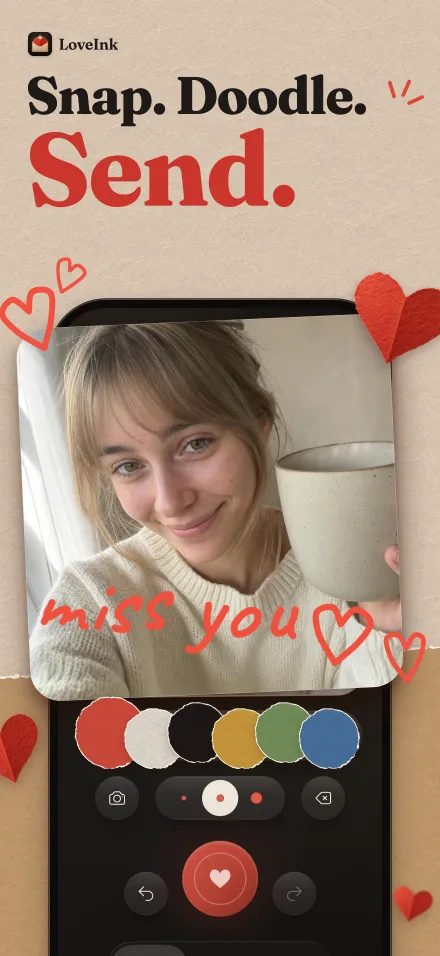
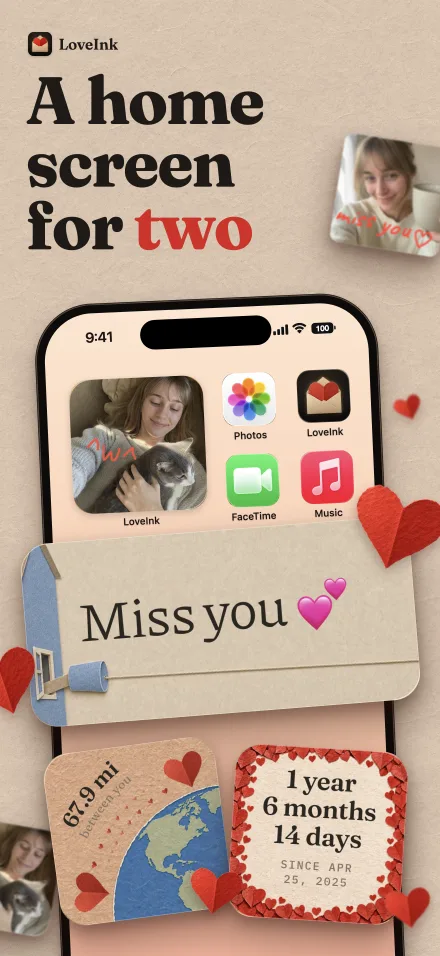
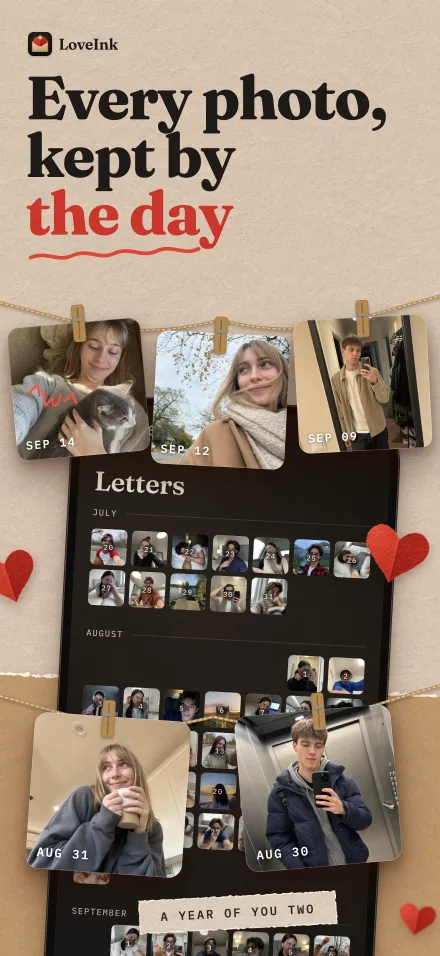
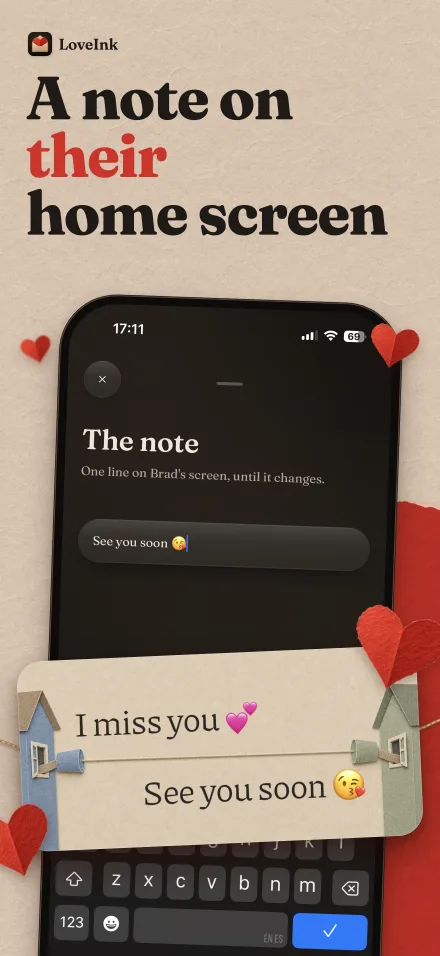
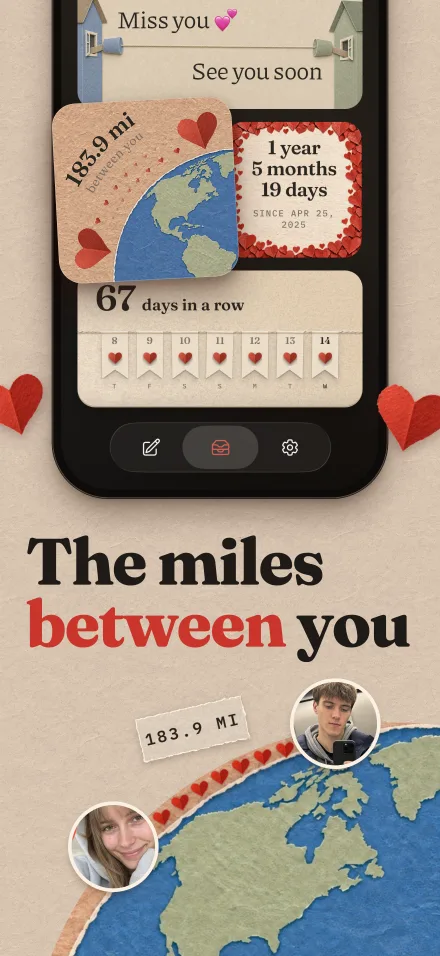
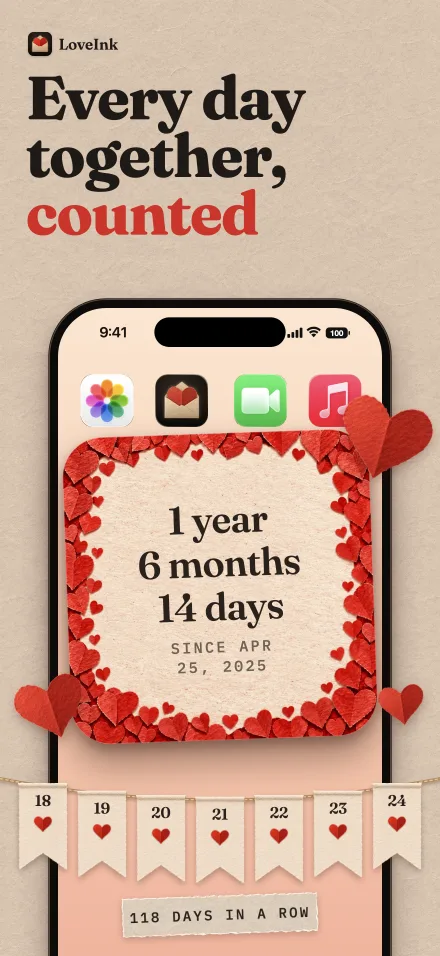
LoveInk leads this list because it starts from the same spark as Locket and narrows it to one relationship. There’s no feed and no friend group to manage. The photo is the point: your coffee, the view from the bus, the dog that walked past, their hoodie on your chair. You take one or pick one from your camera roll, and it sits on your partner’s home screen as if you were in the room for a second. The Together widget keeps your days as a couple in sight, a quiet reminder of how far you’ve come, and the Note widget puts a one-line message like “good luck at 10” where they’ll see it. For long-distance couples especially, a piece of each other’s day crosses the time zones and waits for them when they wake up. If distance is the main thing, our list of long distance relationship apps covers more options beyond widgets.
2. noteit
noteit (“noteit - bff widget”) shows live notes from a partner or friends on your home screen. You link with someone, then send a pic or a drawing straight to their screen.
It’s listed for partners, girlfriends, boyfriends and best friends, and because it’s a widget app, what you send shows up on the other person’s home screen rather than inside a chat. It runs on iPhone and Android, which matters if you and your partner use different phones. It’s free, with in-app purchases.
Pick noteit if you like sending drawings as much as photos and you don’t want to be tied to one operating system.
3. Widgetable
Widgetable (“Besties & Couples”) is a set of playful, game-like widgets for the home screen and lock screen, shared with a friend or a partner.
You can raise virtual pets together, share your mood and sleep, grow virtual plants, and pin snaps, doodles and texts to each other’s screens. There’s also a distance widget, status widgets, a “Miss You” counter, and wallpapers and themes. It’s available on iPhone and Android, free with ads, with a premium subscription that unlocks all features.
It suits friend groups and couples who like their home screen to feel a little like a game.
4. Note Widget
Note Widget is listed on the App Store as “Note Widget - Love Drawing”. It’s a widget app for sending text, pictures, videos and drawings to a partner’s home screen. Your partner sees them without opening the app.
You can link several partners and add a widget for each, so every person you link gets a spot of their own on your screen. Videos are part of the mix too, alongside text, pictures and drawings. It’s available on iPhone and iPad, free with ads, with a subscription.
It suits people who want a simple drawing and note widget.
5. Couple Joy
Couple Joy (“Relationship App”) mixes widgets with games and questions. The widgets cover a shared mood, so you can see how your partner is doing, a distance tracker, and a counter of how long you’ve been together.
Around those sit games, daily questions with a chat about your quiz answers, a daily streak, countdowns to birthdays and anniversaries, and a shared photo journal. It’s free, with a premium subscription.
It suits couples who want a mix of widgets and games, including long-distance couples.
6. Loverzz
Loverzz (“Couples App & Widgets”) is built around a guessing game: one partner answers, the other guesses. It has over 3,000 questions in 13 categories, formats like Would You Rather and Never Have I Ever, and a daily question streak.
Its home and lock screen widgets cover time together, a countdown, distance, a shared drawing canvas, a photo and love notes. A shared real-time canvas and “Scratch” surprises let you hide a drawing or photo for your partner to uncover. It’s free, and some features require a subscription.
It suits playful couples, including long-distance ones.
Quick comparison
| App | What it puts on your partner’s screen | Best for |
|---|---|---|
| LoveInk | Photos, with words or a doodle, plus Together, Distance, Note and Days in a row widgets | A photo-first space for one couple |
| noteit | Pics and drawings | Partners or friends who like drawings |
| Widgetable | Snaps, doodles and texts, plus pets, plants and a “Miss You” counter | Playful, game-like widgets |
| Note Widget | Text, pictures, videos and drawings | A simple drawing and note widget |
| Couple Joy | Mood, distance and time together, with games and questions | Widgets plus games |
| Loverzz | Time together, countdown, distance, canvas, photo and love notes | A guessing game with widgets |
What to send first
An app only works if you both use it, so make the first week easy. A few things that suit a photo widget:
- Start with what’s in front of you. Your coffee, the view from the bus, the dog that walked past, their hoodie on your chair. Small and ordinary beats staged.
- Add a line when a photo needs one. In LoveInk you can write a few words or draw a little doodle over the picture, so the hoodie photo can say “yours now.”
- Use the Note widget for the day ahead. One short line each, like “good luck at 10,” sits on the other person’s home screen and shows you were paying attention.
- Put Distance to work before a visit. The number shrinks as the trip gets closer, which gives the two of you something to look forward to together.
- Keep the heart streak going. Days in a row adds a heart for every day one of you sends something, so even a plain photo of your lunch keeps the shared streak alive and tells them you thought of them today.
How to choose
Start with who the app is for. Locket is made for groups, so if you want something only for the two of you, rule out anything that treats a partner as one more friend on the list.
Then decide what you want your partner to see. A few ways to sort it out:
- You want photos of real life. Pick LoveInk: the Photo widget shows their latest picture, and the box turns the photos you both send into a wall calendar of your year.
- You like drawing. noteit sends pics or drawings, and Note Widget sends text, pictures, videos and drawings.
- You want something to play. Widgetable adds pets and plants, Couple Joy adds games and daily questions, and Loverzz adds a guessing game.
- You use different phones. noteit and Widgetable are listed for iPhone and Android; Note Widget is listed for iPhone and iPad. LoveInk is iPhone only.
If you’re both on iPhone and want the closest thing to Locket’s feeling, built around one couple, LoveInk is where we’d begin. And if you’d like questions, date ideas or a shared calendar next to the photos, the long distance relationship apps list is the next place to look.
Questions
What is the best app like Locket for couples?
LoveInk is the closest fit if you want Locket's home-screen photo idea for one couple. It's a private space, not a feed or a friend group, and it runs on iPhone.
Is there a Locket widget alternative that works for just two people?
Yes. LoveInk, noteit and Note Widget are all built around sending something straight to a partner's home screen. Locket itself leans toward groups of friends and family.
Are there apps like Locket that work on Android?
noteit and Widgetable are both listed for iPhone and Android. LoveInk is iPhone only, and Note Widget is listed for iPhone and iPad.
Why do couples switch away from Locket?
Locket's friend list is capped at 20 people, so it suits groups. LoveInk, by contrast, is a private space for one couple, with a Distance widget and a shared Days in a row streak.